Live TV
Browse while the channel keeps playing, pause and rewind, and keep the channels you watch close at hand.
On iPhone, iPad, Mac and Apple TV.
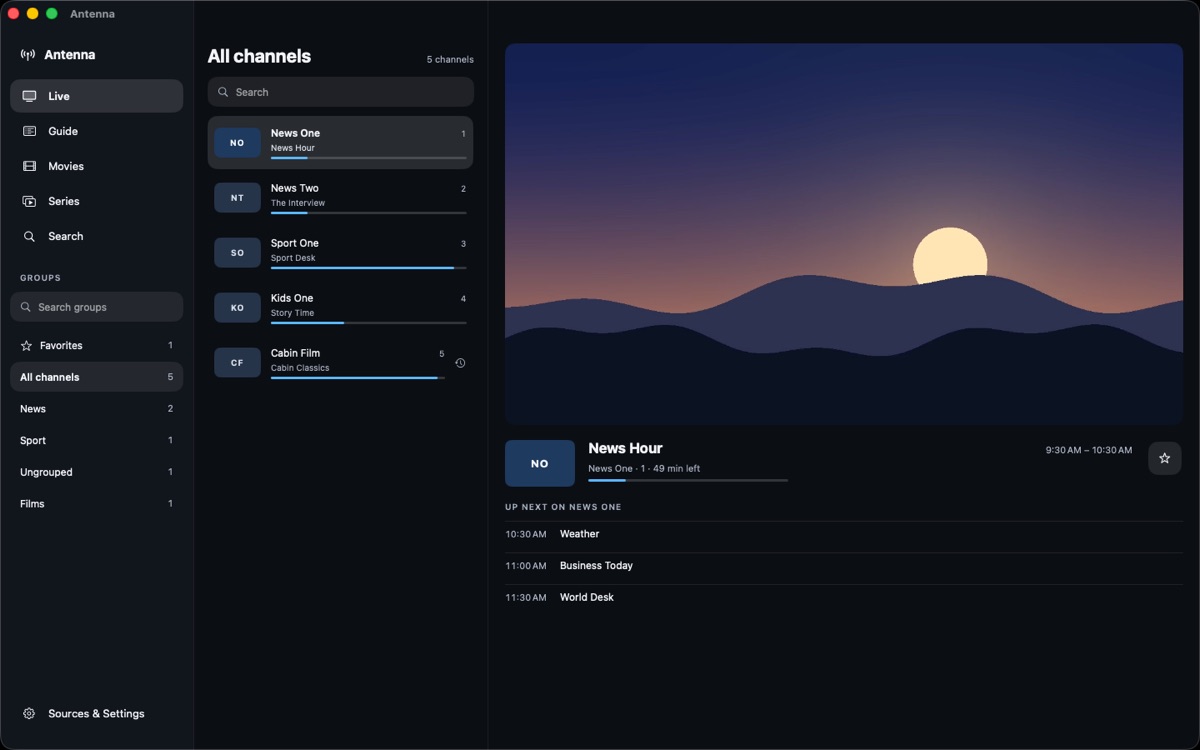
Browse while it plays
The channel plays next to the list, with what is on now and next. Swipe on the picture to change channel, or go back to the previous one.
On iPhone, iPad and Mac. Apple TV has its own channel list over the picture.
Pause and rewind
Pause live TV and rewind up to an hour, then jump back to live. Start over plays the programme on now from its start, from the provider's catch-up when it has it.
On iPhone, iPad, Mac and Apple TV.
Favorites
Add a channel from its menu, with a swipe, or with the star while it plays. Favorites sync to your other devices.
On iPhone, iPad, Mac and Apple TV. Swipe on iPhone and iPad.
Groups your way
Hide, rename and reorder groups, build your own from several sources, and lock a group with a passcode. Adult groups stay hidden until you turn them on with the passcode.
On iPhone, iPad, Mac and Apple TV.
Recents and New
Recents keeps the last 20 channels you watched. New shows channels that appeared on this device in the last seven days.
On iPhone, iPad, Mac and Apple TV.
One search
Find channels by name or number, programmes in the coming week, movies, series and people, all in one place.
On iPhone, iPad, Mac and Apple TV.
Reminders
Set a reminder on a programme and get a notification before it starts, with a button that plays the channel.
Notifications on iPhone, iPad and Mac. On Apple TV a reminder shows while Antuna is open.
Picture and sound
HDR10 and HLG, Dolby Digital, Dolby Digital Plus and Dolby Atmos passed to your receiver, subtitles and audio languages. Apple TV matches the TV's frame rate and dynamic range when you have that on.
On iPhone, iPad, Mac and Apple TV. Frame rate and dynamic range matching on Apple TV.
Errors in plain words
When a channel will not play, the message says why: you are offline, the source refused the login, the channel moved, or the device cannot play its format.
On iPhone, iPad, Mac and Apple TV.
Siri, Shortcuts and the keyboard
Ask Siri to tune a channel or build a Shortcut that does. On a Mac or an iPad with a keyboard, menus and shortcuts control playback.
Siri and Shortcuts on iPhone, iPad and Mac. Keyboard menus on Mac and iPad.