Sources
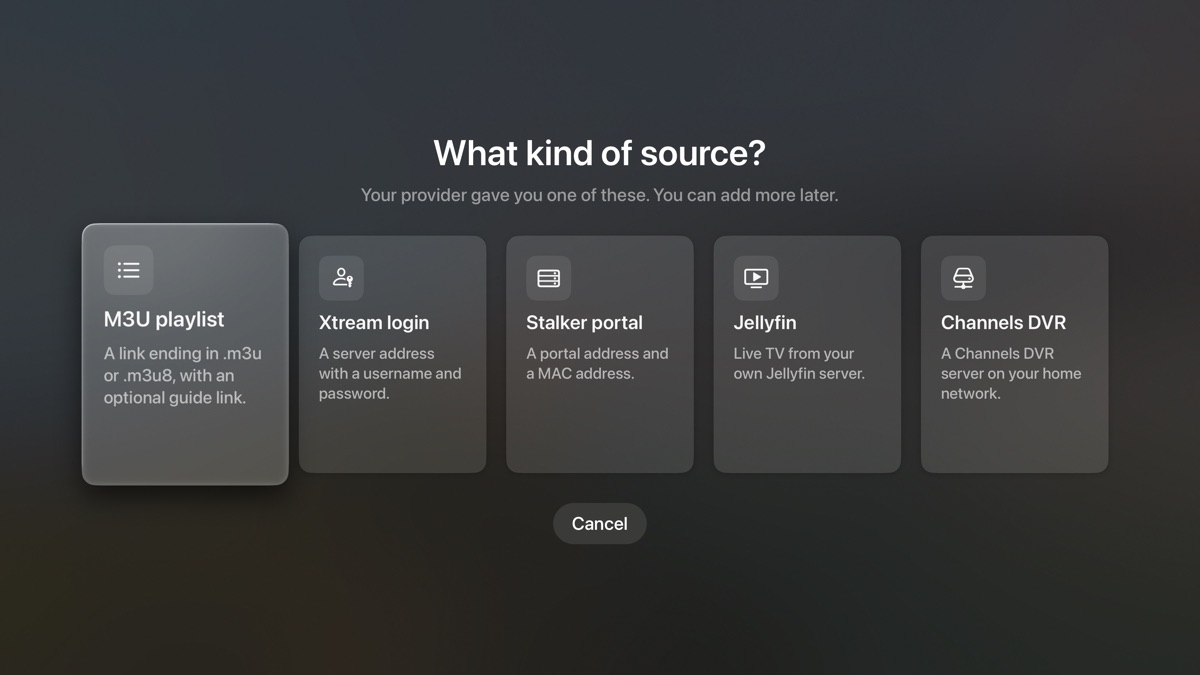
Add the sources you already have: a playlist, an Xtream Codes login, a Stalker portal, or a Jellyfin or Channels DVR server.
On iPhone, iPad, Mac and Apple TV.
M3U playlists
Paste a playlist link. Antuna reads the guide links, catch-up details and any movies and episodes in it, and a playlist of 50,000 entries loads in a few seconds.
On iPhone, iPad, Mac and Apple TV.
Playlist files
Import a playlist file, share it to Antuna or open it from Finder. A preview shows how many channels and groups it holds before you import, and the channels then reach your Apple TV too. Drag and drop works on iPad and Mac.
Import on iPhone, iPad and Mac. Not on Apple TV, which plays the imported channels.
Xtream Codes
Sign in with a server, username and password to get live channels, the guide, catch-up, movies and series. A playlist that turns out to be an Xtream login can switch over and keep its favorites.
On iPhone, iPad, Mac and Apple TV.
Stalker portals
Enter the portal address and the MAC address your provider registered, with or without colons. Channels come grouped by genre, with the portal's own guide.
On iPhone, iPad, Mac and Apple TV.
Jellyfin Live TV
Sign in to your own Jellyfin server for its live channels, radio and a week of guide. Antuna checks the server is Jellyfin before it sends your password.
On iPhone, iPad, Mac and Apple TV.
Channels DVR
Type the server's address and Antuna fills in the rest. Your channel names, numbers and seven days of guide come over as the server has them.
On iPhone, iPad, Mac and Apple TV.
From install to a channel
The first screens ask what kind of source you have, check it with the server, and show what loaded. Start watching before the guide has finished.
On iPhone, iPad, Mac and Apple TV.
Keep sources in order
Fix a link or login, reorder sources, refresh one or all, or set how often they refresh. A refresh that fails keeps the channels you had.
On iPhone, iPad, Mac and Apple TV.